Keyboard Studio: Custom Matrix
& Hardware Layout Engine.
Design, customize, and bind physical & virtual keyboard matrices for any hardware form factor. Edit key positions, record Virtual Key Codes in real time, and assign Windows Hardware IDs to dedicated layout profiles.
Why Build Custom Keyboard Layouts?
Every hardware keyboard is built differently—from Full-Size 104-key boards to 60% compacts, split ergonomic decks, and standalone numpads. Keyboard Studio lets you visually map every key, customize unit widths (1U, 1.25U, 2U, 6.25U), record Virtual Key Codes, and isolate physical device handles at the driver layer.
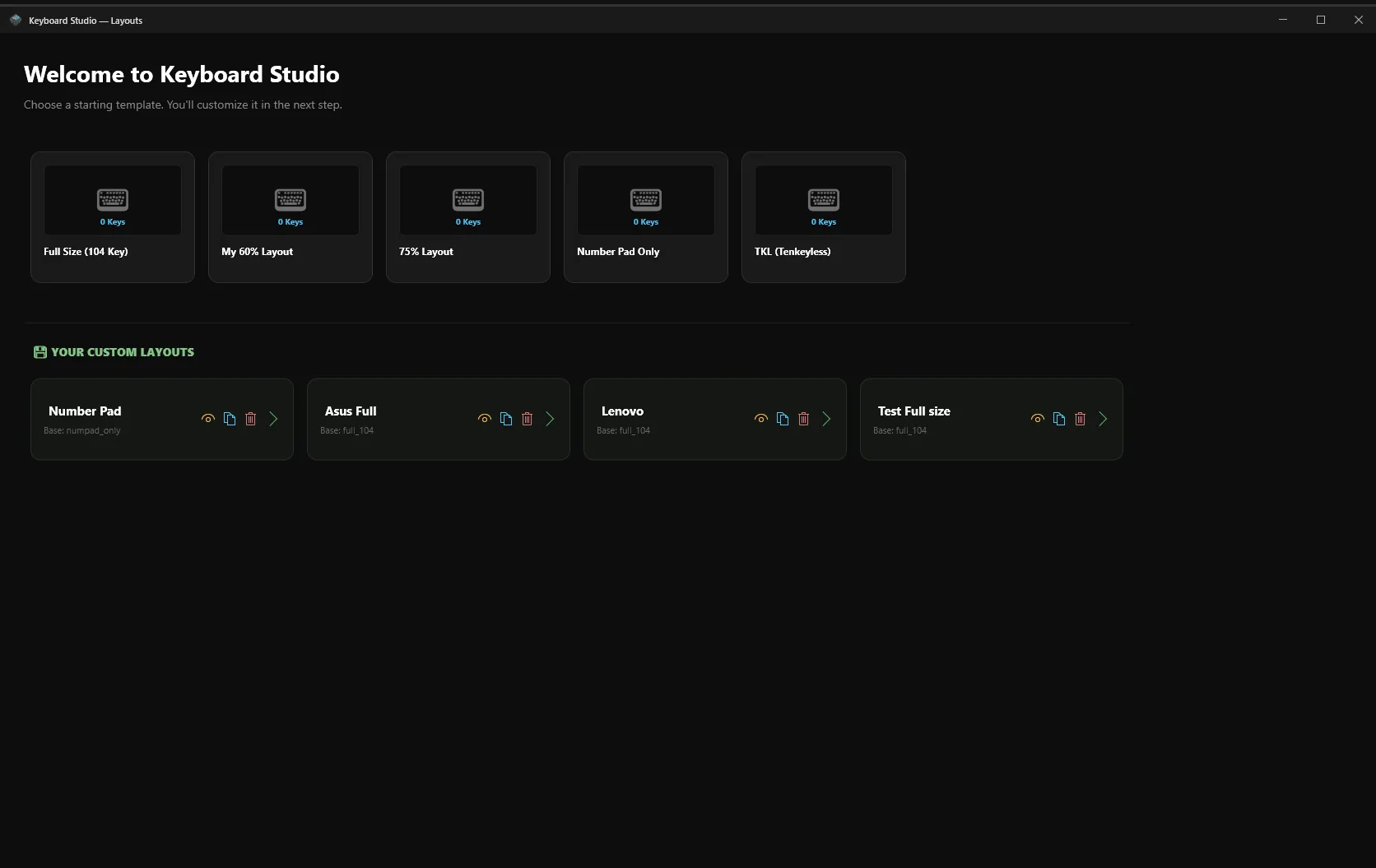
5 Default Keyboard Layout Presets
IsoKey comes out-of-the-box with pre-configured matrix presets matching all standard mechanical and membrane keyboard form factors.
Full Size
104 Keys • 980×280
Standard full-size layout with Function row, Arrow cluster, and Numpad.
Tenkeyless
87 Keys • 780×280
Compact layout without number pad. Ideal for gaming and desk ergonomics.
75% Compact
84 Keys • 720×280
Integrated layout combining Function row and navigation column.
60% Ultra
61 Keys • 660×240
Ultra-compact main typing cluster for custom mechanical keyboards.
Number Pad
17 Keys • 200×240
Standalone numeric keypad for dedicated macro deck control.
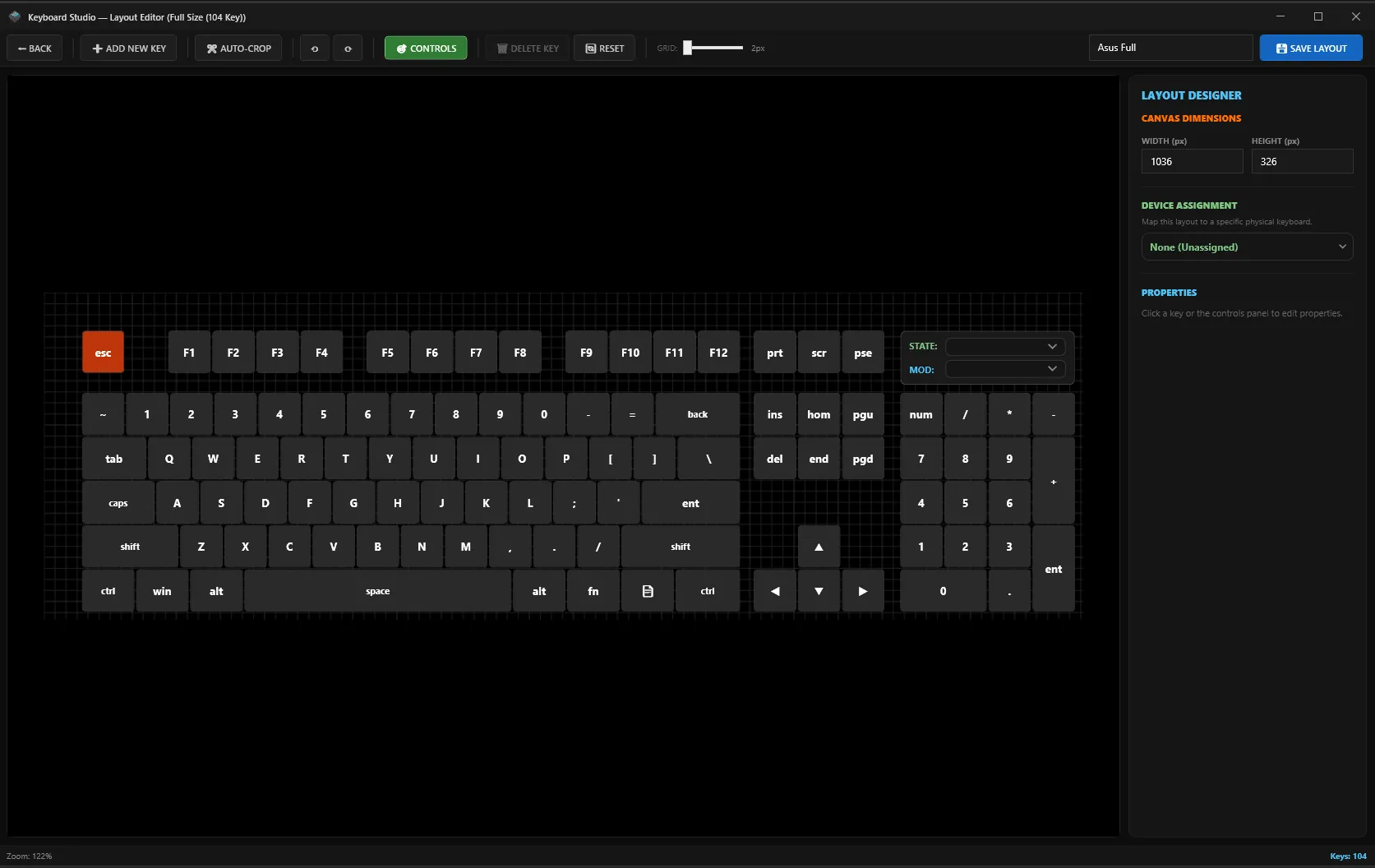
Visual Layout Matrix Editor
Drag, position, resize, and construct custom key matrices with millimeter precision on an interactive canvas.
🎯 Grid Snap & Custom Canvas Bounds
Configure canvas dimensions (CanvasWidth / CanvasHeight) and toggle smooth grid snapping (GridSnap = 2.0) for pixel-perfect key alignment.
➕ Add Custom Keys & Adjust Key Widths
Insert new custom keys anywhere on the canvas layout. Set key unit widths dynamically (1U = 40px, 1.25U, 1.5U, 2U, 2.25U Shift, 6.25U Spacebar) and customize key corner radiuses.
↩️ 30-Step Undo & Redo History Engine
Never lose your progress. Keyboard Studio maintains a 30-step history stack (_undoStack / _redoStack) tracking key additions, deletions, repositioning, and property edits.
Virtual Key (VK) Code Mapping & Live Recording
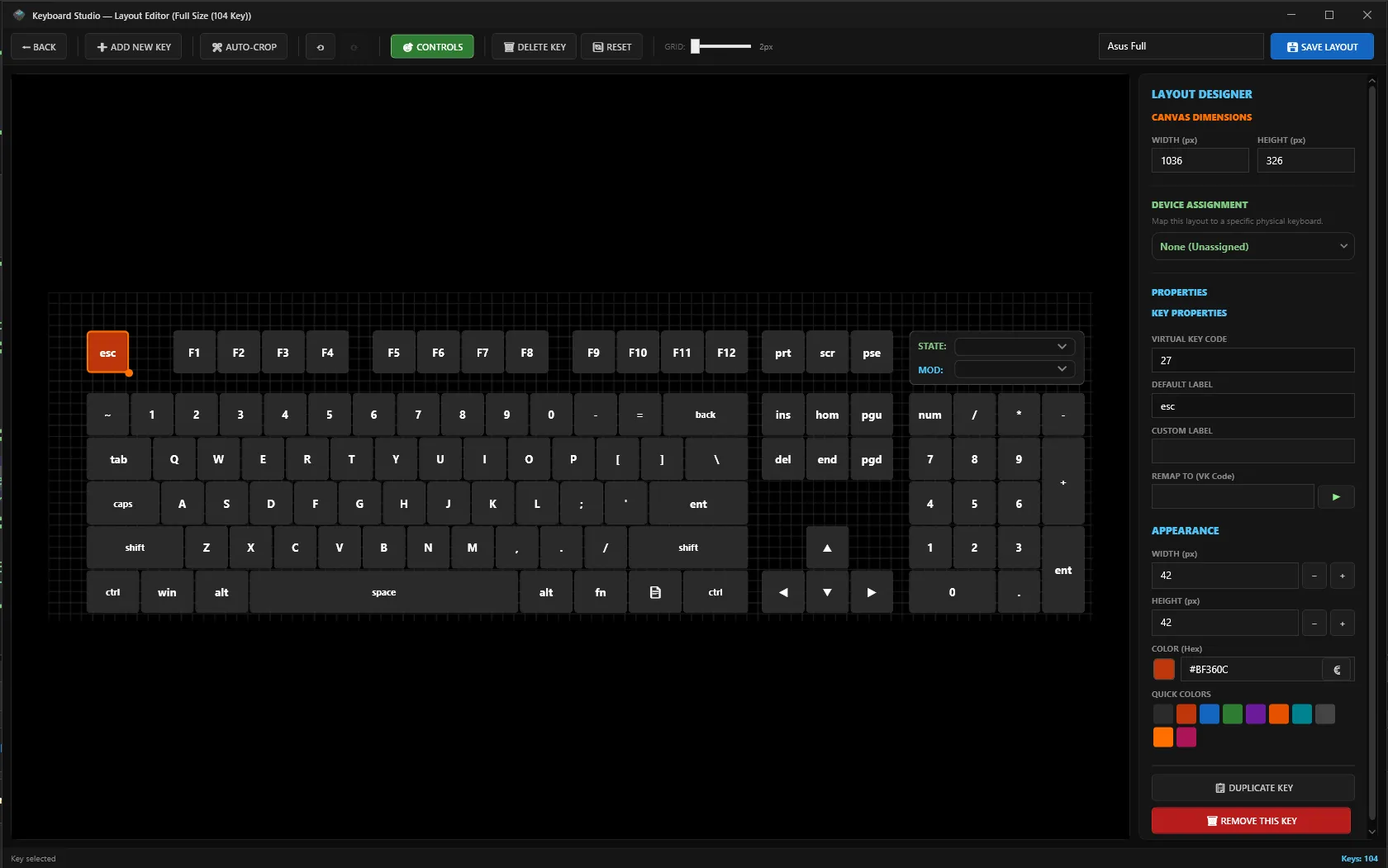
Change Virtual Key Codes directly or record keypresses live from connected secondary keyboards.
Real-Time Key Capture
Click the 🔴 Record Key button in the property inspector and press any physical key on your hardware. IsoKey automatically captures the exact Windows Virtual Key Code (VK_A, VK_SPACE, VK_F13..F24) and hardware ScanCode.
Manual VK & ScanCode Editing
Directly type integer or hexadecimal Virtual Key values (0x01..0xFF) into the property editor. Map high-range virtual keys (VK_F13 through VK_F24) for dedicated macro triggers without interfering with primary keys.
Custom Key Labels & Action Tags
Assign custom display labels, icon symbols, and execution tags to every key definition (LayoutKeyDef.Label). Visualized on on-screen HUDs and virtual overlay dials.
Hardware ID & Device Binding
Assign custom keyboard layouts directly to physical hardware device handles for kernel driver input isolation.
Hardware PNP Device Path
Detects exact Windows Plug-and-Play device IDs (HID\VID_046D&PID_C31C) to isolate secondary hardware devices regardless of USB port reconnection.
Kernel Handle Routing
Maps hardware device handles (Device 1..20) at the kernel driver layer so secondary keypresses are consumed before reaching Windows input queues.
Role Management (K1, K2, K3)
Assign roles (K1 Primary, K2 Numpad Macro Deck, K3 Custom Controller) to link layout profiles to specific physical boards.
Layout Serialization & Key Capture Architecture
Universal JSON layout schema for custom layout presets, real-time key stroke capture, and persistent hardware device binding:
{
"presetId": "custom_tkl_macro",
"name": "TKL Gaming & Production Layout",
"canvasWidth": 780,
"gridSnap": 2.0,
"assignedHardwareId": "HID\\VID_046D&PID_C31C",
"keyCaptureMode": "RealTimeAutoRecord",
"keyMatrix": [
{ "label": "MACRO_1", "vkCode": 124, "width": 40, "scanCode": 100 },
{ "label": "MACRO_2", "vkCode": 125, "width": 40, "scanCode": 101 }
]
}
Explore More IsoKey Modules
Discover transparent WPF overlays or manage multi-monitor workspace snapping.