Overlay Studio.
Design real-time overlays, custom canvas radial dials, and on-screen metrics rendered directly over active games and full-screen design views.
Studio Preview Gallery
Toggle tabs below to explore real screenshots of the Overlay Studio in action.
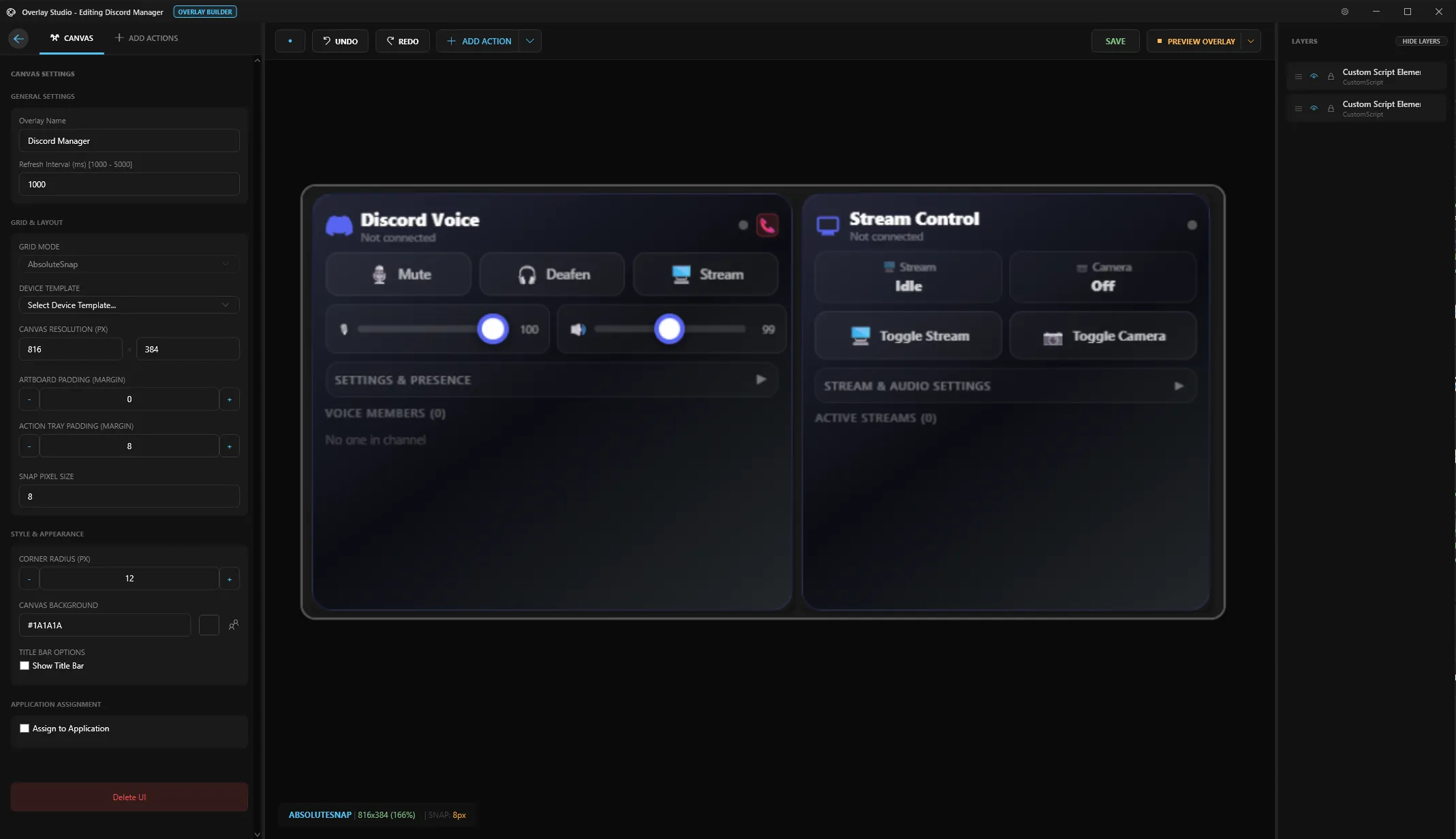
IT Architecture Context: Vector canvas editor supporting live Z-index layer tree manipulation (ColLayers), a 320px live property grid (ColProperties), DPI-independent vector scaling, and debounced JSON serialization.
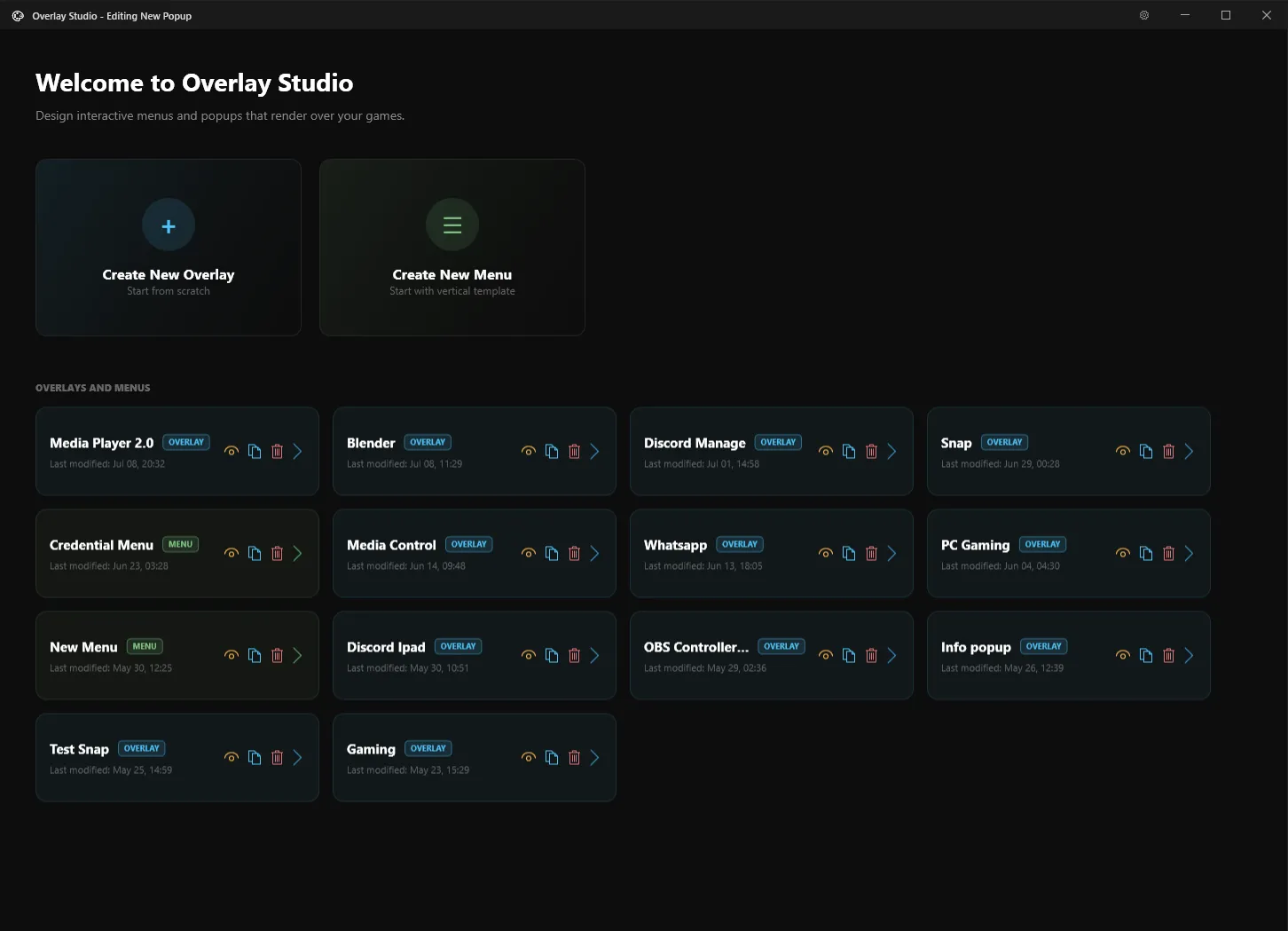
Dual Designer Engine: Overlay vs Menu Builder
Overlay Studio supports two distinct architectural design modes: **OVERLAY BUILDER** for constructing transparent on-screen graphics, HUD meters, and diagnostic widgets; and **MENU BUILDER** for creating vertical shortcut lists and circular radial dials. Workspaces feature a 320px resizable Property Grid (`ColProperties`) and a 260px Layer Tree Inspector (`ColLayers`) to reorder element z-indices, lock layers, and customize transparency.
DirectX Layered Windows
Transparent WPF windows project overlay elements using hardware-accelerated DirectX rendering pipelines (`VirtualOverlayWindow`), ensuring sub-millisecond drawing latencies over full-screen 3D games with zero CPU overhead.
WebView2 Chromium Runtime
Embed Microsoft WebView2 web controls (`VirtualOverlayHtmlWindow`). Stream live web charts, HTML5/CSS3 custom dashboards, or Twitch chat overlays rendered with transparent web backgrounds.
Cursor-Attached Dials
Summon radial action menus directly at your mouse coordinates. Select sub-actions, toggle macro sets, or control active audio device settings without looking away from your workspace focus.
Real-time Performance HUD
Monitor hardware temperatures, system loads, and frame times. Perfect for streaming desks, rendering pipelines, or high-intensity competitive gaming sessions.
Snap & Arrange Multi-Monitor Workspaces
Visually map your screen regions with drag-and-drop ease. Create customized snapping zones for coding, streaming, or video editing. IsoKey remembers your physical monitors automatically, keeping your layout intact across computer reboots.
- ✓ Drag-and-drop zone creation & resizing
- ✓ Multi-monitor hardware memory lock
- ✓ One-click horizontal & multi-column grid templates
Cursor-Attached Shortcut Rings
Never break your visual focus. Summon custom radial shortcut dials right under your mouse cursor with single hotkeys. Organize actions into nested rings for instant one-click execution in any desktop app.
- ✓ Pops up directly at mouse cursor coordinates
- ✓ Custom icons, colors, and action labels
- ✓ Zero-lag transparent DirectX rendering
Create Custom UI Windows & Shortcut Menus
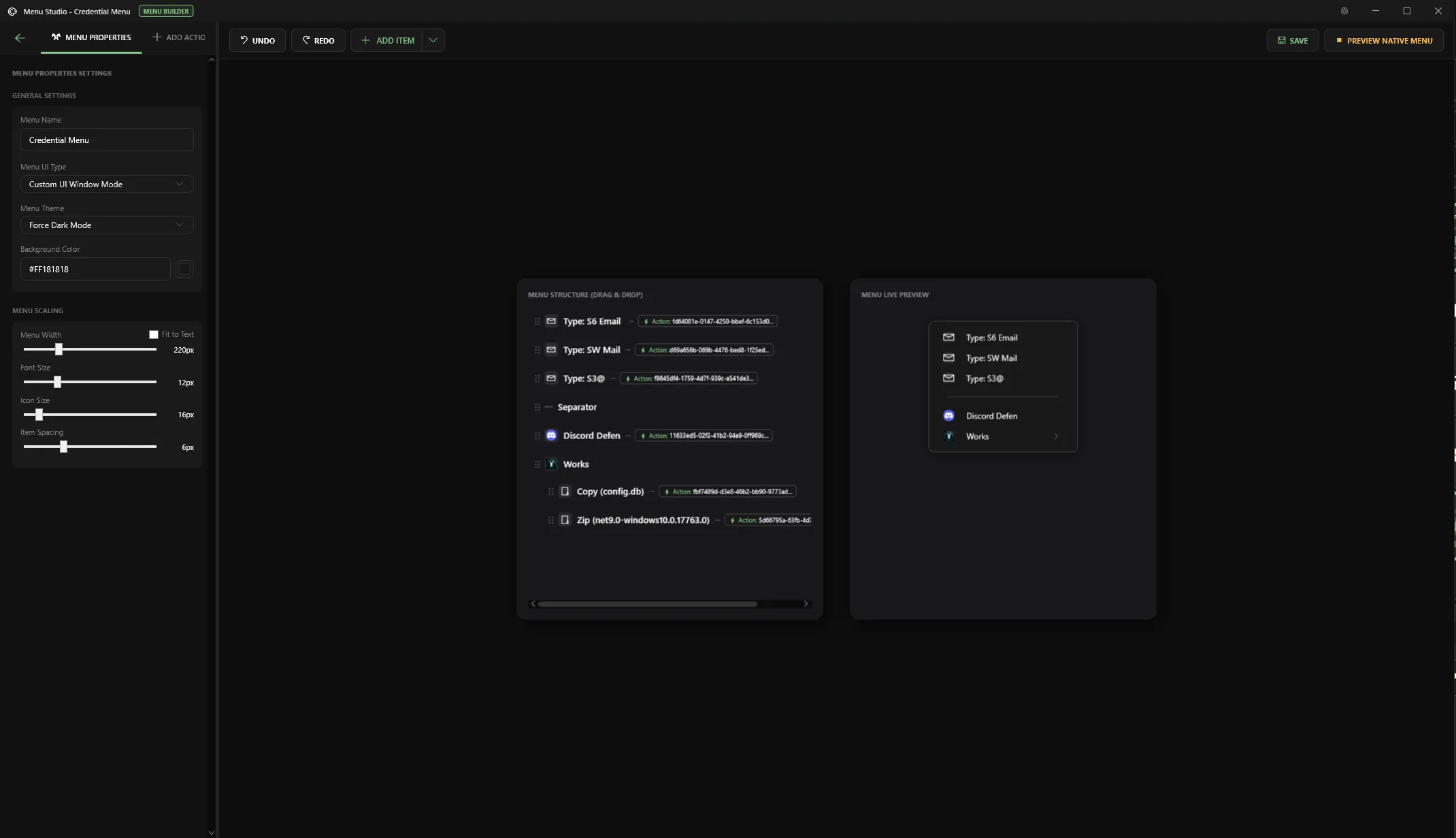
Design custom interactive UI windows and desktop shortcut menus tailored specifically to your workflow. Open your custom-built UI panels directly on your PC screen, or cast them wirelessly to any mobile device or tablet connected on the same local WiFi network.
- ✓ Build custom UI windows & desktop shortcut menus
- ✓ Cast wirelessly to mobile phones/tablets over local WiFi
- ✓ Custom button grids, icon triggers & macro actions
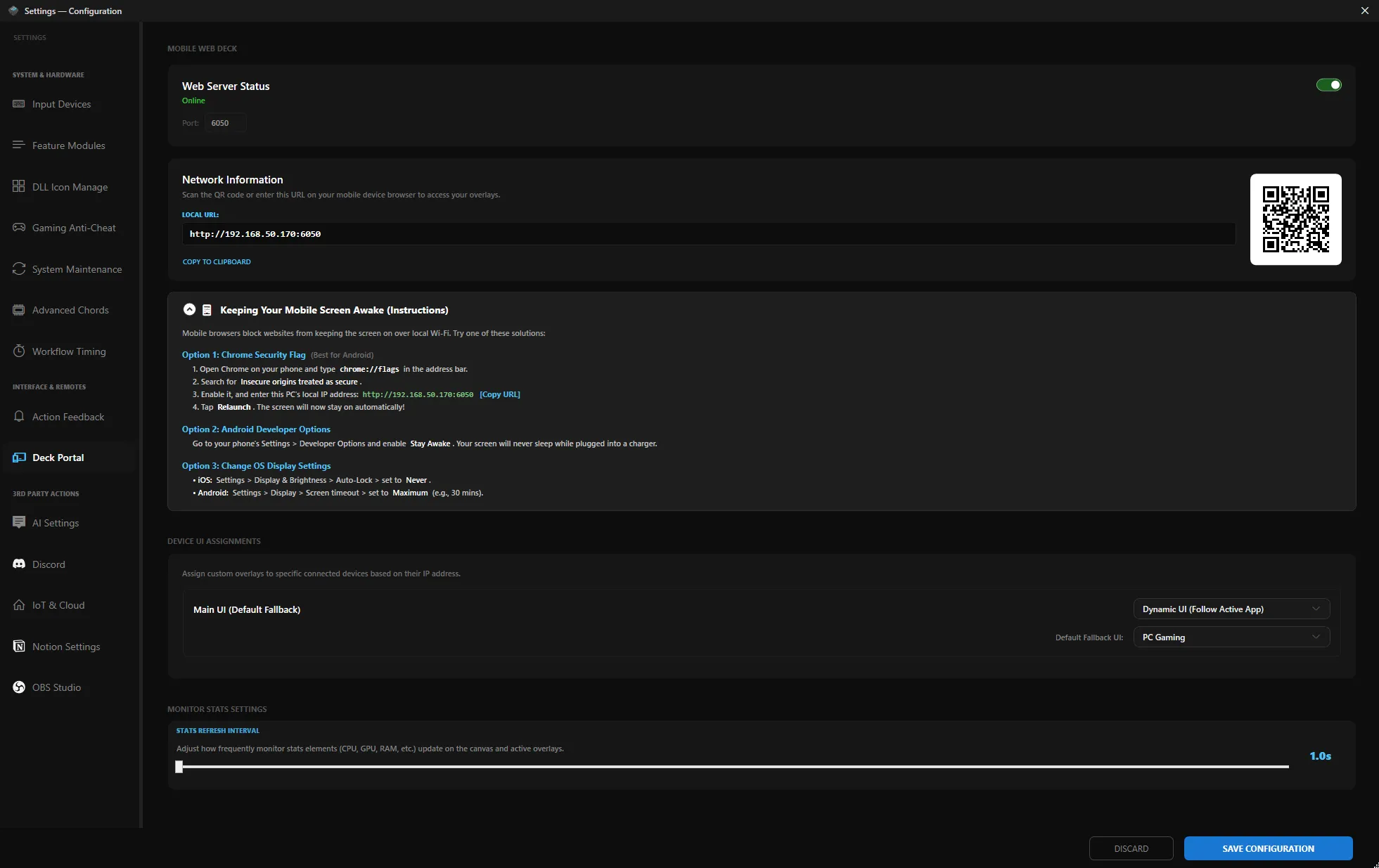
WiFi Mobile Deck & Integration Settings
Control your local WiFi Web Server (Port 6050) with instant QR code mobile browser pairing. Assign dynamic UI touch decks that follow your active PC applications, adjust hardware telemetry stats refresh rates, and connect third-party integrations including OBS Studio, Discord, Notion, and AI engines.
- ✓ Instant QR Code scan for mobile device pairing
- ✓ Dynamic UI switching based on currently active app
- ✓ Adjustable hardware telemetry refresh interval (CPU/GPU)
- ✓ Built-in setup guides for Chrome & mobile screen awake mode
Smart Physical Monitor Lock
Never worry about your window layouts scrambling after a PC reboot, display sleep cycle, or cable swap. IsoKey intelligently identifies your physical monitors by hardware, ensuring your saved work zones stay permanently locked to the right screens automatically.
Point & Drag Region Snapping
Simply highlight any area on your screen with your mouse. IsoKey captures the exact boundaries instantly and automatically scales your layout perfectly whether you use 1080p, 2K, or 4K displays.
Visual Keyboard Designer
Design custom keyboard layouts visually. Customize keycaps, assign vibrant color themes, map function layers, and create personalized shortcut maps with zero code.
WiFi Mobile Touch Deck
Turn your smartphone or tablet into a powerful wireless touch deck. Connect over your local WiFi network to trigger macros, switch scenes, or control audio right from your phone screen.
Live Overlays & Web Widgets
Display custom web widgets, live chat, or system meters directly over your active games or creative tools with smooth transparent graphics and zero lag.
Secondary Keyboard Isolation
Turn a spare numpad or second keyboard into a dedicated macro control deck. Keys pressed on your secondary deck execute shortcuts without interfering with your main typing keyboard.
Natural Typing Automation
Automate complex keystroke combinations naturally. Adjust typing speeds, hold delays, and rhythm variations to run repetitive tasks seamlessly.
Seamless Drag & Drop Setup
Drop files, applications, or script paths straight into the studio window for instant action assignment. Works smoothly regardless of your Windows user permission settings.
Instant System Shortcuts
Bind Windows settings, sound output toggles, network tools, and system diagnostics to one-key shortcuts without digging through Control Panel menus.
Build Any Desktop Overlay Layout
Overlay Studio gives you a rich set of drag-and-drop elements to construct transparent HUD toolbars, control decks, and interactive status panels customized for your exact workflow.
Action Library Triggers
Add any macro or automation rule from your configured IsoKey Action Library. Trigger app launches, media controls, or system commands directly from your overlay.
Text Labels & Titles
Place customizable text headings, dynamic status readouts, and section labels anywhere on the canvas with custom typography and font sizing.
Frames & Container Cards
Group controls inside sleek visual frames, structural cards, or transparent background containers for clean desktop organization.
Sliders & Adjusters
Drag-to-adjust sliders for real-time control over System Master Volume, OBS Studio audio tracks, screen brightness, and custom variables.
Live System Monitors
Real-time telemetry monitoring widgets displaying CPU Load, GPU Usage, RAM Memory, Upload/Download Net Speed, Local IP Address, Time, and Date.
Automated Tab Panels
Organize actions into tabs with Active Application Auto-Switching (e.g. automatically switches to Browser tab when Chrome opens, or OBS tab when streaming).
➕ Add Custom JavaScript & HTML5 Script Widgets
Beyond built-in canvas controls, you can add Custom JavaScript Script Widgets to your overlay deck. Write custom code, render HTML5 elements, and hook into live system events—explored in detail below!
Solid Colors, Gradient Alpha Channels & Custom Backgrounds
Every element, frame, and panel supports Solid Colors, Gradient Fills with RGBA Alpha Channel Transparency for frosted glass looks, and Custom Image Backgrounds. Actions with default icons can have their icons swapped to any custom graphic.
Custom JavaScript & HTML5 Overlay Widgets
Write any custom desktop widget using pure JavaScript, HTML5, and CSS3! Every widget hooks directly into IsoKey's real-time telemetry pipeline. Explore our official open-source widget examples below—preview their source code or download them directly for your setup.
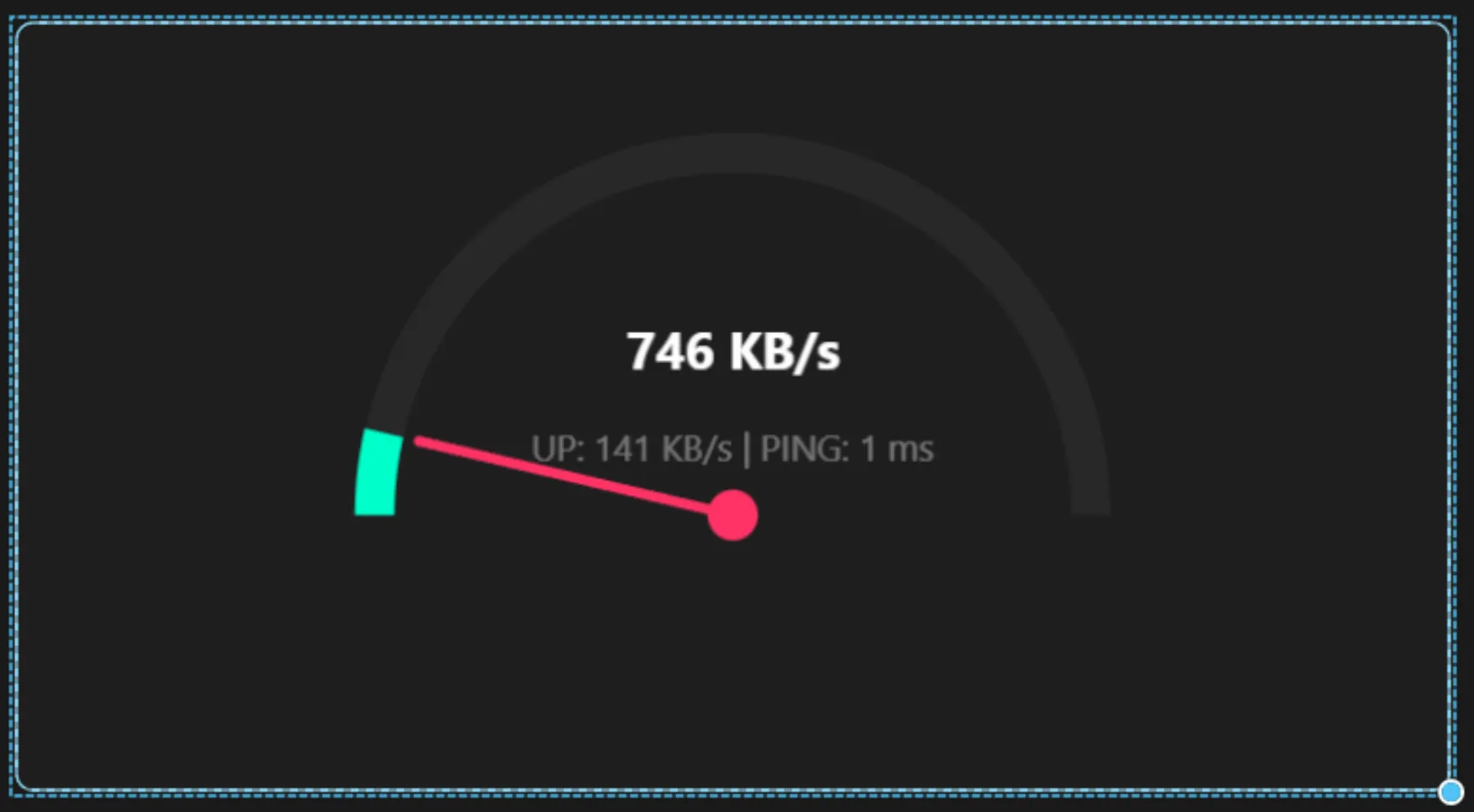
Network Speedometer Gauge
Real-time canvas gauge rendering live download/upload speeds (KB/s & MB/s) and ping latency updates via onStatsUpdate.
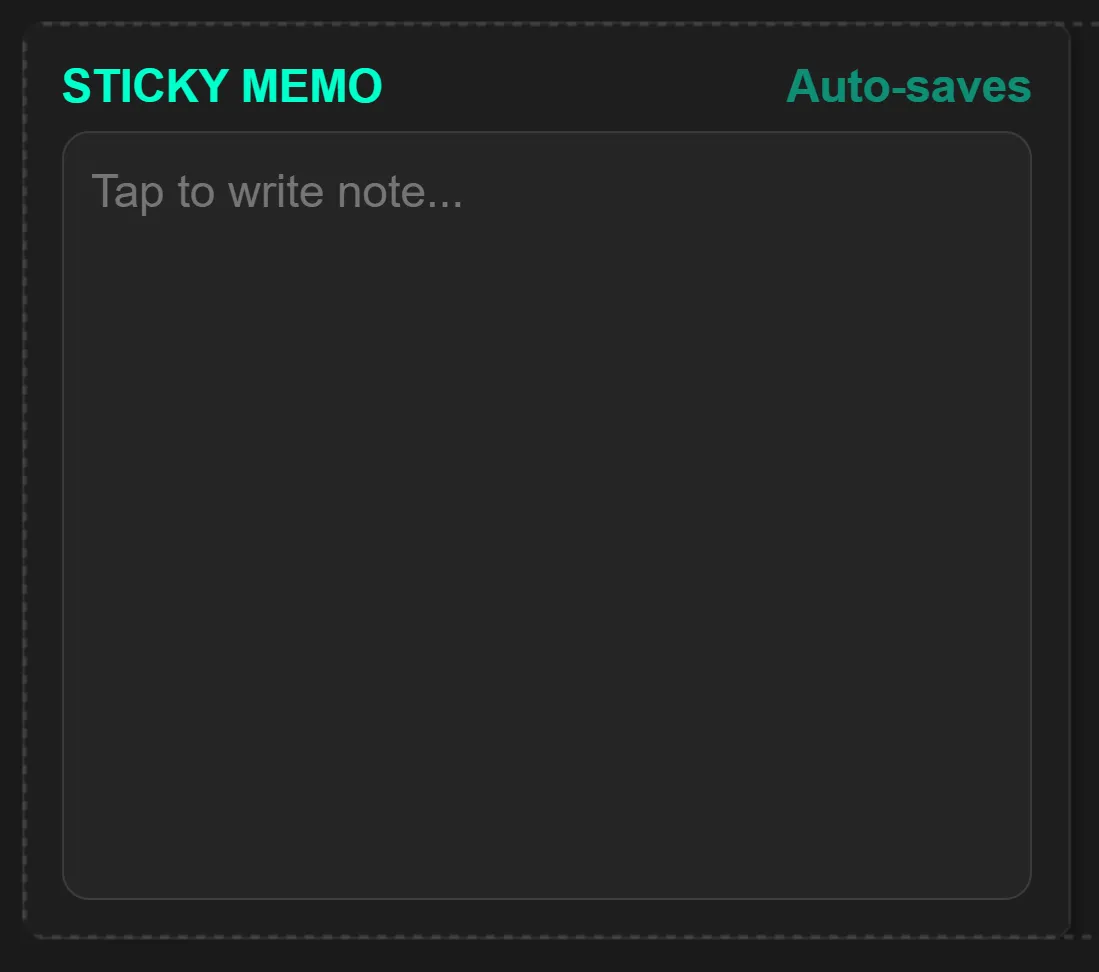
Interactive Sticky Memo
Transparent desktop notepad widget that saves notes instantly to localStorage as you type.
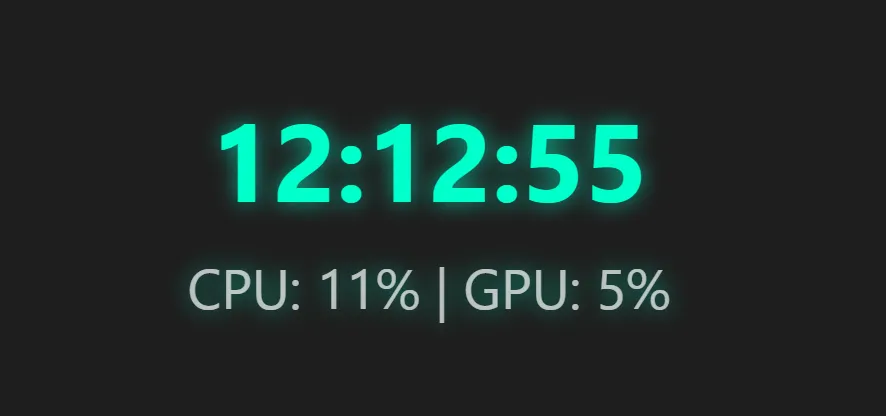
Digital Neon HUD Clock
High-contrast digital time readout displaying real-time CPU & GPU load stats directly under the clock display.
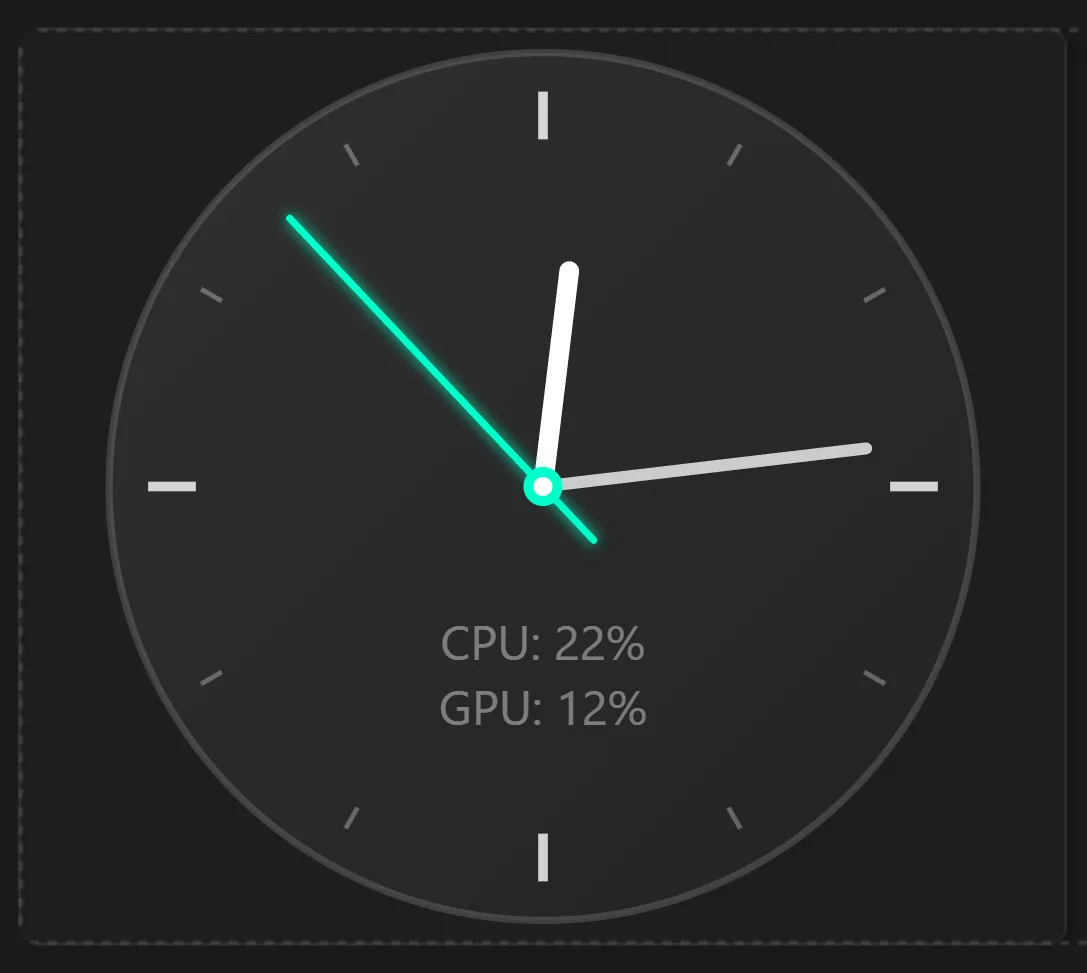
Precision Analog Clock
Vector Canvas 2D analog clock featuring ticking hands, high-DPI scaling, and transparent desktop background integration.
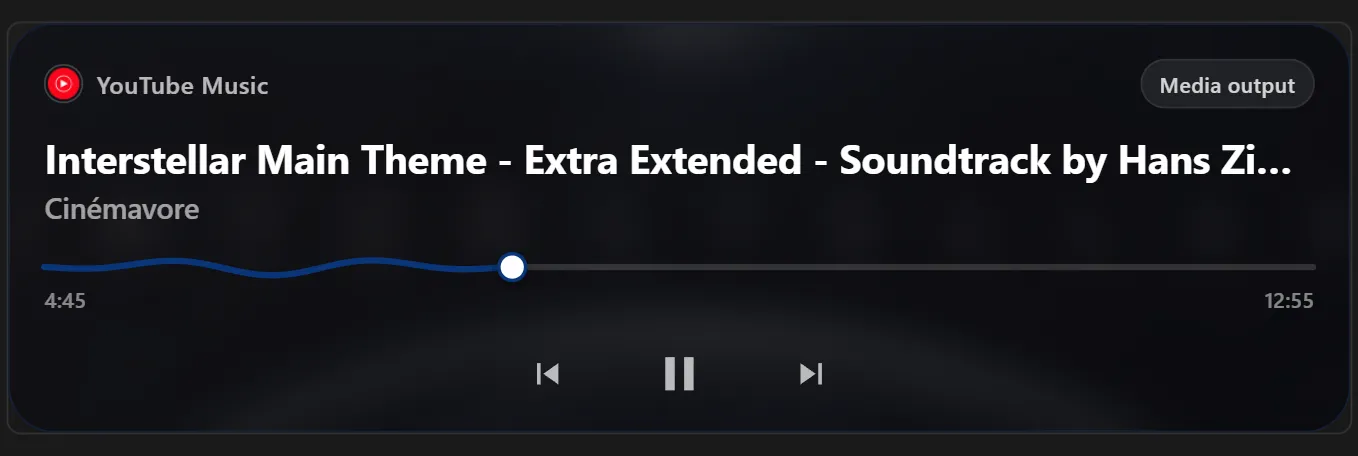
Media Player Controller & Cover Art
Live track title, artist name, cover art thumbnail stream, playback controls, and volume adjustments connected directly to Spotify, YouTube, or Windows Media Player.